
Configuration
The configuration of the Anonymous bot is doneconfigured usingentirely commands directly on your server infrom the #log-anonymous-botXelyos Dashboardchannel..
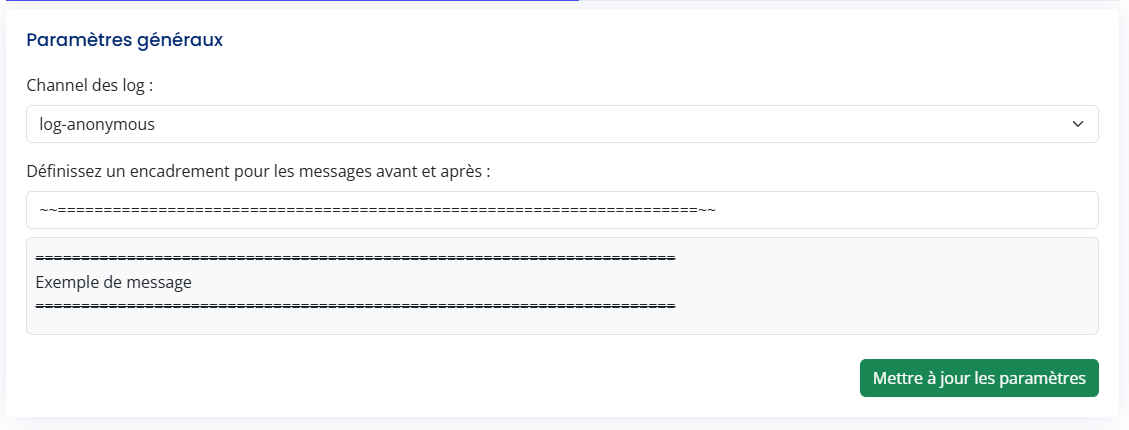
Log channel & message framing
This section allows you to define:
- the log channel used by the
commandsbot; - the
presentedmessagebelow must be used in this channel.frame (Ifvisualyouelementsdon'tsurroundinghaveeachit,message sent by thebotbot).
Display Help
To display themessages help,without usea frame, leave the command:Frame field empty./config-anonymous
AnnounceCommand therestriction Arrivalby ofchannel
YouThis cansection announceallows you to your users the arrival of the Anonymous Bot on your server with the following command: /annonce, specifying the channel where the message should be sent. A default presentation message will then appear.


Limiting the Use of Commands in Channels
Activate Command Limitation
To activate the limitation of command usage (/mask, /crypt, /uncrypt) in channels, use the command: /config-anonymous --restriction status activate

Activate the limitation in channels:/config-anonymous --restriction status activate:yes

Deactivate the limitation in channels:/config-anonymous --restriction status activate:no(Allows commands everywhere)

Define Channels Where Commands Are Allowed
To define the channels whererestrict the use of bot commands (/mask,to /cryptspecific channels,.
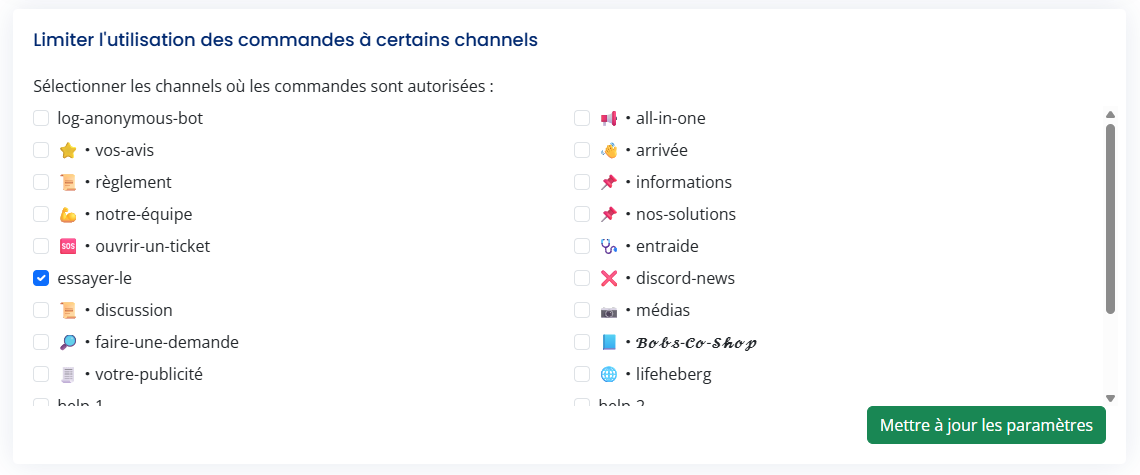
If no channel is allowed,defined, usecommands can be used anywhere on the command:server.
/config-anonymous
--restriction

To remove channels from the list, select the channels to be removed:/config-anonymous --restriction remove


Display the List of Restricted Channels
To display the list of channels where commands are allowed, use the command: /config-anonymous --restriction list


Automatically Mask a Message in a Channel
This feature allows you to automatically hide messages sent automaticallyby the bot in definedthe channels of your choice.
Cette fonctionnalité permet de masquer automatiquement les messages envoyés par le bot dans les channels de votre choix.
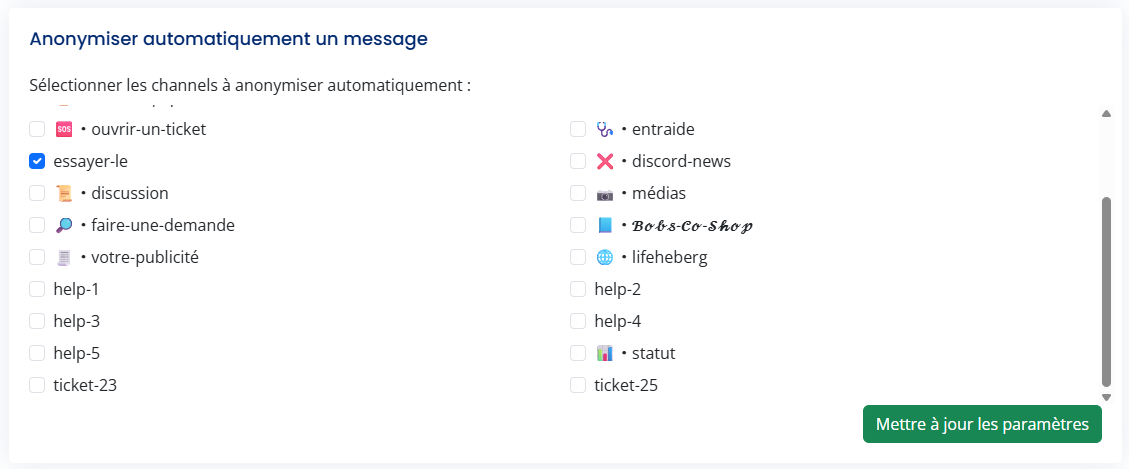
Automatic hiding only applies to beautomatically masked.sent Automationmessages.
Other bot commands inremain thefully channel.
Activate Automation
To activate the automation of the mask command, use the command: /config-anonymous --automask status activate

Activate automation:/config-anonymous --automask status activate:yes

Deactivate automation:/config-anonymous --automask status activate:no

Channel Management
To define the channels where automation is functional, use the command: /config-anonymous --automask add. Automate up to 3 channelsusable in onethose command.channels.


Display
the List of Automated Channels
To display the list of channels where the mask command is automated, use the command: /config-anonymous --automask list

Remove Channel Automation
To remove channels from the automation list, use the command: /config-anonymous --automask remove


Add Elements Before and After a Masked Message
You have the option to define if you want to add elements before and after the messages sent with the mask command.
To define the characters before and after the masked message, use the command: /config-anonymous --setframe
Command: /config-anonymous --setframe frame:text (with text as the content that appears before and after, do not select the text attribute to not add a frame)
Before:

After:


